Topics
- Article
- App & Features
- Metrics
WHOOP Step Tracking: How Daily Steps Support Health
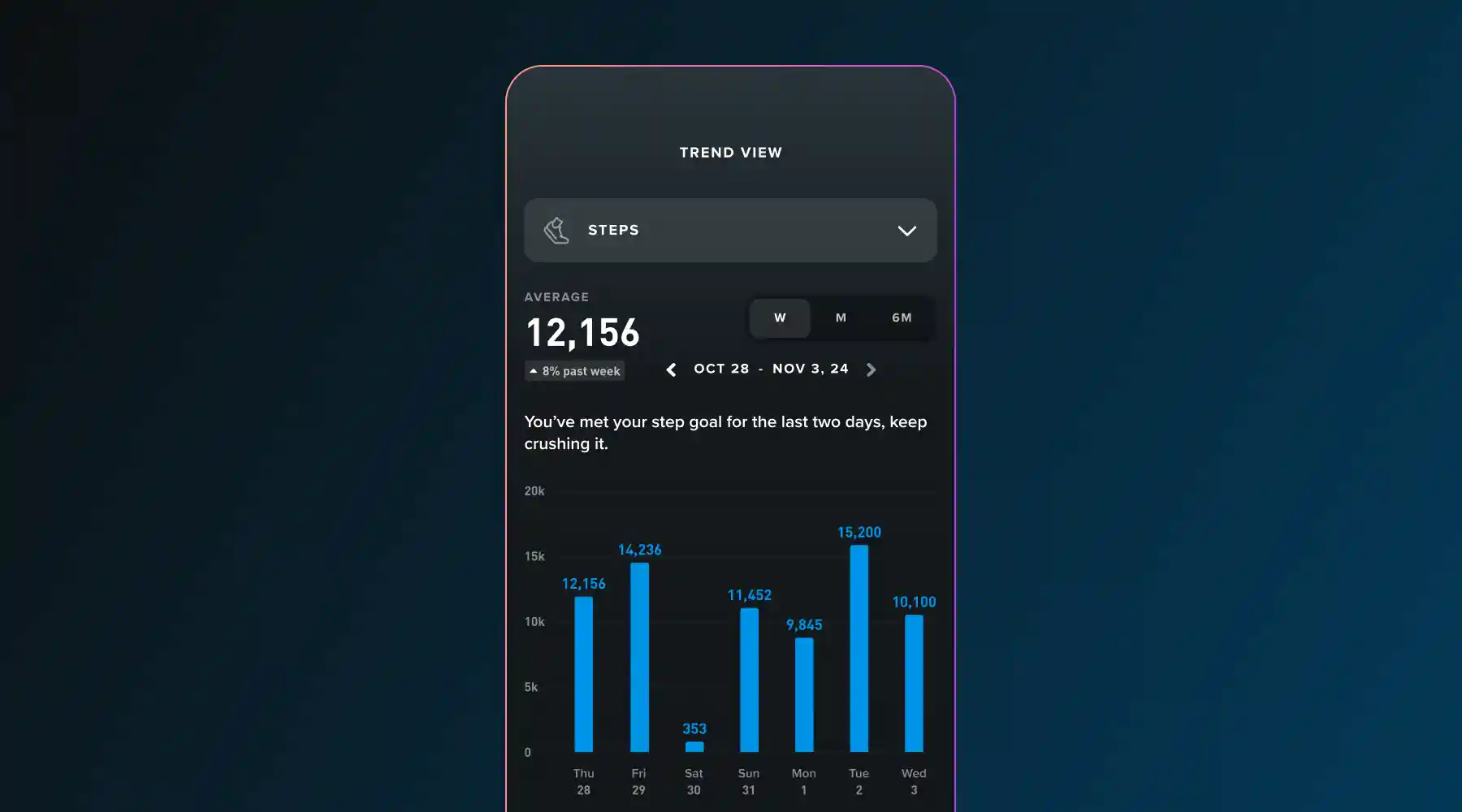
Research shows that hitting the right amount of daily steps lowers your risk of chronic diseases like obesity, heart disease, and more. Steps as a form of movement helps you live longer, and better. Now you can start tracking yours with WHOOP.
Why WHOOP now measures steps
WHOOP measures the metrics that are scientifically proven to make the most significant impact on your mental and physical health. Previously, WHOOP did not include step counting, as steps alone can be a limited metric for cardiovascular fitness. A growing body of scientific research has shown that consistent daily steps, around 8,000 per day, can significantly reduce the risk of many chronic diseases and conditions.
In a recent study, research showed that there is a strong relationship between daily step count and a decrease in all-cause and cardiovascular related mortality. The study showed that a 1000-step increment correlated with a significant reduction of all-cause mortality of 15%, and similarly, a 500-step increment correlated with a reduced risk of cardiovascular mortality of 7%.
Another study looked at step counts over time and an individual's risk of chronic disease and found that higher daily step counts were associated with reduced risk of several common chronic diseases, including diabetes, hypertension, GERD, MDD, obesity, and sleep apnea. Steps as a form of movement helps you live longer, and better—and that's why we track them.
How step measurement works
WHOOP uses an accelerometer to calculate steps and has been validated for on wrist use. Your body's natural motion generates specific patterns of motion, which a step detection algorithm identifies from your raw data. WHOOP automatically quantifies how many steps you take, and shows them as daily, weekly, monthly, and 6 month step count trends.
You can set your own personal step goal in Weekly Plan. You'll see when you hit milestones – like the steps equivalent to running a marathon based on your estimated stride length. Since WHOOP is worn 24/7, you may see higher step counts than you do on other devices.
Where to see your steps in the app
To find your steps, scroll down on your home screen, and they will appear under My Dashboard. To set a daily step goal in Weekly Plan, visit the Plan tab, add a step goal in any plan, and follow the prompts. To see how many steps you took for a few select activities, like walking, tap into that saved activity and the total steps appear at the top of the screen.
Daily movement looks different for everyone. If you don't want to see your steps on your home screen, you can remove them by tapping "Customize" under My Dashboard on the home screen and following the prompts.
How steps relate to Strain
Steps are a measure of frequency of movement, while Strain is a measure of cardiovascular or muscular exertion.
Some of your steps will accumulate when you're accumulating strain, but some steps will not. It's highly individualized and will depend on your metrics and daily movement.
How steps contribute to Healthspan
Yes, steps per day count toward Healthspan because daily movement is a key factor in longevity and overall well-being. Walking supports cardiovascular health, metabolic function, and cognitive performance, all of which help reduce the risk of chronic disease and extend years spent in good health. Incorporating more steps—whether through structured exercise or simply moving more throughout the day—is one of the most effective ways to improve long-term health.
How many steps should you take a day?
Our review of scientific literature00302-9/fulltext?ref=sampinder.co.uk) suggests that anywhere between taking 7-10K steps is associated with positive health outcomes through a lower risk of diseases like heart disease and obesity.
At WHOOP, we're always evolving based on the latest in human performance science and research. For current members, there's no need to get new hardware to access step tracking – updating your app gets you access to steps.
Start tracking your movement
Daily movement is a foundational piece of your overall health. By measuring your steps, WHOOP provides another layer of insight, helping you connect your activity to your Strain, Recovery, and long-term Healthspan.
Frequently asked questions about step tracking
Why is my WHOOP step count different from other devices?
Step counts can vary between devices for several reasons. WHOOP is designed for 24/7 wear on your wrist, capturing all movement throughout your day and night, whereas a phone may only capture steps when it's in your pocket. Each device uses its own algorithm to translate motion into steps, and the WHOOP algorithm is validated for on-wrist use to ensure consistency and accuracy.
How accurate is step tracking on WHOOP?
WHOOP uses a sensitive accelerometer and a proprietary algorithm to detect and quantify your steps. This system has been validated to accurately measure steps from on-wrist placement. WHOOP is engineered to provide a consistent and reliable measure of your daily movement.
Can I set a personal step goal?
Yes. You can set a daily step goal using the Weekly Plan feature. Visit the Plan tab in the WHOOP app, add a step goal to your plan, and follow the prompts to customize it based on your personal objectives.
This feature is for wellness purposes only and not for medical use.